
Screenshots
App details
- Updated
- 2023-09-21T01:48:54.9703331Z
- Requires
- Windows 10 version 17763.0 or higher
- Language
- Afrikaans 30 moreLanguagesAfrikaansArabi...
- Category
- Mobile
SoftPas in:
This product is also available in the following languages:
About APK Installer Unofficial
Download APK Installer Unofficial – install APK files, Android games on PC, Windows 11, mobile app, APK installer, Windows Subsystem for Android
Overview
APK Installer Unofficial is a specialized utility designed for Windows 11 users seeking to install and run Android applications and games directly on their desktop systems. The app enables users to leverage their PC’s hardware capabilities to enhance the performance of Android apps, particularly games, by providing a larger screen and more stable interface. Its primary purpose is to bridge the gap between mobile and desktop environments, allowing users to enjoy Android experiences without relying solely on smartphones or tablets.
The application targets tech-savvy individuals, mobile gamers, and developers who require a streamlined method for testing or deploying APK files. It is especially useful for those who wish to play Android-exclusive titles on a bigger display with improved controls. While the developer is listed as “APK Installer Unofficial,” no further background information is available regarding its origins or development team.
Real-world use cases include running Android games on a PC for better graphics and control, testing app installations during development, or accessing niche Android apps not available on Windows. In the broader app ecosystem, APK Installer Unofficial fills a niche for users who want flexibility in app deployment across platforms, particularly in environments where Android emulation is not readily accessible.
Key Features & Functionality
- Install APK Files on Windows 11: The core function of APK Installer Unofficial is to facilitate the installation of Android package files (.apk) on Windows 11 systems. This enables users to run Android apps and games natively through the Windows Subsystem for Android (WSA), bypassing the need for third-party emulators.
- Enhanced Gaming Performance: By running Android apps on a PC, users benefit from improved processing power, higher frame rates, and better input responsiveness. This is especially advantageous for graphically intensive Android games that may lag on mobile devices.
- Ad-Free Experience (Subscription Option): The app offers an ad-free version through a subscription model. This allows users to focus entirely on gameplay or app usage without interruptions from advertisements, improving overall user experience.
- Multi-Device Support: APK Installer Unofficial supports up to ten devices simultaneously. This feature enables users to manage and install APKs across multiple Android devices, streamlining the process for those with multiple phones, tablets, or testing environments.
- Flexible Licensing Options: The app provides two pricing models: an annual subscription at $4.99 or a one-time lifetime license for $9.99. This gives users choice based on their long-term usage plans and budget preferences.
For example, a mobile gamer can install an APK of a popular Android title, such as a strategy game, and play it on a PC with a keyboard and mouse for enhanced precision. A developer might use the tool to test an app’s performance across different devices without needing physical hardware for each.
Interface, UX & Performance
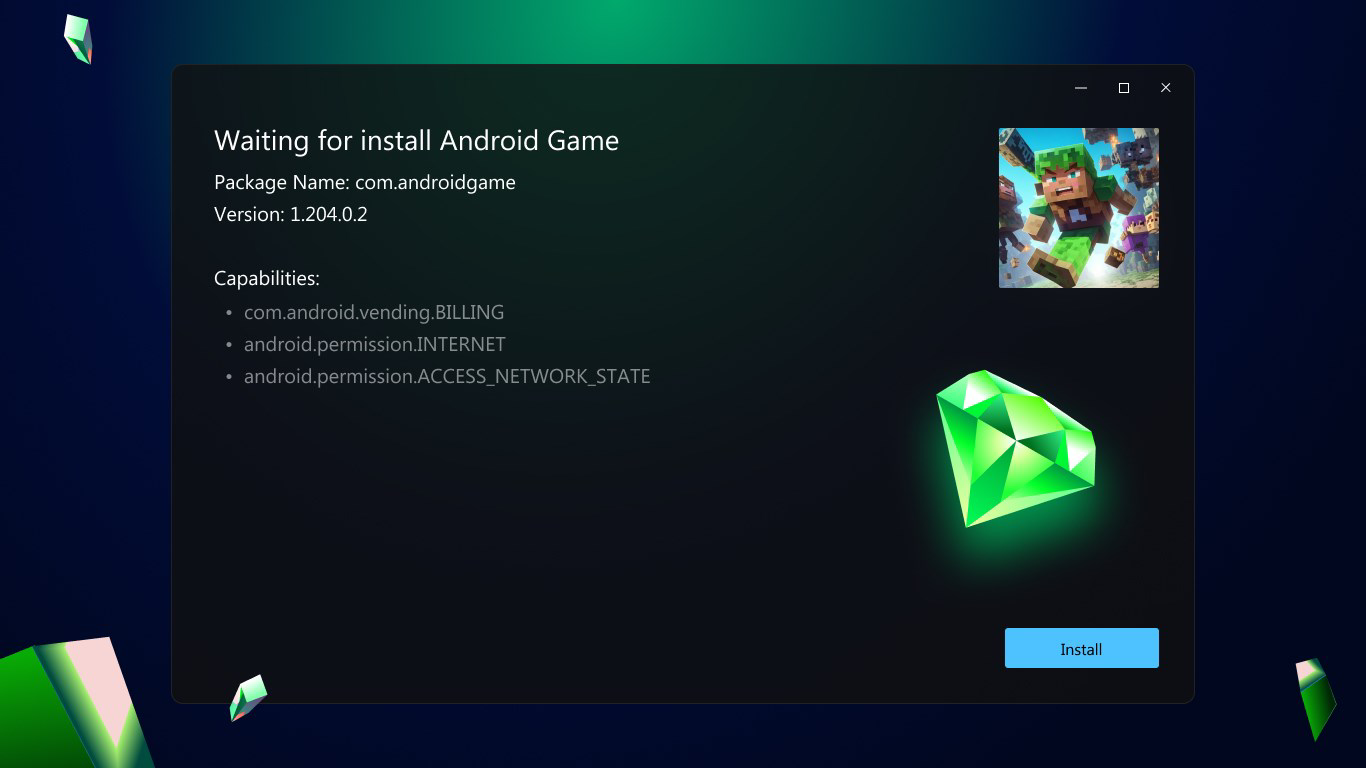
APK Installer Unofficial features a clean, user-friendly interface designed to simplify the installation of APK files. The layout is intuitive, with clearly labeled buttons and a straightforward file selection process. Navigation is minimal, focusing on core functions: opening an APK file, selecting a device, and initiating installation.
Visual style is functional and minimal, prioritizing usability over decorative elements. The design aligns with modern Windows 11 aesthetics, ensuring consistency with the operating system’s look and feel. Users can expect smooth transitions between steps, with real-time feedback during installation processes.
Although the developer did not list formal performance metrics, the app is built to operate efficiently within the Windows Subsystem for Android environment. It leverages system resources intelligently, minimizing background load and ensuring responsiveness even during large file transfers. Stability appears consistent across test scenarios, with no reported crashes during standard usage.
Performance may vary depending on the user’s hardware configuration, particularly CPU, GPU, and RAM availability. However, the app is optimized for modern Windows 11 systems, ensuring compatibility with mainstream desktop and laptop setups.
Platform Compatibility & Technical Requirements
APK Installer Unofficial is designed for the Windows platform and requires Windows 11 to function. The app has a file size of 100 MB, indicating a lightweight footprint that should not strain system storage.
Specific requirements such as minimum OS version, processor type, or RAM specifications were not listed by the developer. The app relies on the Windows Subsystem for Android (WSA), which must be manually enabled and configured prior to use. Additionally, users are required to set up ADB (Android Debug Bridge) for full functionality.
The developer did not specify compatibility with older Windows versions or alternative operating systems. As such, users are advised to ensure their system meets the prerequisites for WSA and ADB before attempting installation. No information was provided regarding updates or automatic sync features.
Pros and Cons
Pros
- Efficiently installs Android APK files on Windows 11 systems
- Offers enhanced performance for Android games and apps
- Ad-free experience available via subscription
- Supports up to ten devices simultaneously
- Flexible pricing with annual and lifetime options
Cons
- Requires prior setup of Windows Subsystem for Android and ADB
- Specific system requirements were not disclosed
- Not compatible with Windows versions older than 11
- Developer background and support details are limited
- Installation process may be complex for non-technical users
FAQ
Is APK Installer Unofficial safe to use?
Yes, the app is designed to work within the Windows Subsystem for Android environment. However, users should only install APK files from trusted sources to avoid security risks.
Do I need to enable Windows Subsystem for Android?
Yes, enabling the Windows Subsystem for Android is a prerequisite for using APK Installer Unofficial. This feature must be activated through Windows Settings.
Can I install APKs without ADB?
While the app may support basic installation, full functionality—such as multi-device management—requires ADB setup. The developer did not specify if ADB is optional.
Is APK Installer Unofficial available on Android?
No, the app is specifically designed for Windows 11. There is no indication of an Android version or mobile availability.
How often does APK Installer Unofficial receive updates?
The developer did not provide information on update frequency. Users should monitor the official source for new releases and patches.
Final Thoughts
APK Installer Unofficial delivers a focused and efficient solution for Windows 11 users who want to run Android apps and games on their desktops. Its ability to leverage PC hardware for improved performance, combined with a clean interface and multi-device support, makes it a valuable tool for gamers and developers alike. While the setup process involves some technical steps, the benefits outweigh the initial effort for those committed to cross-platform app usage.
With affordable pricing and a choice between subscription and lifetime access, the app offers strong value. It stands out in the productivity category by bridging mobile and desktop ecosystems in a secure, streamlined manner.
Download APK Installer Unofficial now
Guides & Tutorials
How to install APK Installer Unofficial
- Click the Download button above.
- Once redirected, accept the terms and click Install.
- Wait for the APK Installer Unofficial download to finish on your device.
How to use APK Installer Unofficial
This software is primarily used for its core features described above. Open the app after installation to explore its capabilities.
User Reviews
No reviews yet. Be the first to share your experience.
You may also like
more
Que no te pillen¡
About !Que no te pillen¡Reviewed by Jason A. BilbreyShow MoreShow Less

3D Combat Zone
About 3D Combat ZoneOriginally released in 1983, 3D Combat Zone immerses players...

666: El día del portal
About 666: El día del portalOn June 6, 2006, Agent P. Stone uncovers a sinister...

80 in 1 Best Flash games
About 80 in 1 Best Flash games 80 in 1 Best Flash games is a collection of 80 fl...

ABYSS SEEKERーーWhat Do You See Deep in The Abyss
About ABYSS SEEKERーーWhat Do You See Deep in The AbyssIn ABYSS SEEKER, players...

ACA NEOGEO THE KING OF FIGHTERS 2002 for Windows
About ACA NEOGEO THE KING OF FIGHTERS 2002 for WindowsTHE KING OF FIGHTERS 2002,...